
Home / Aorta
Aorta tool
Aortic dimensions in the echo report, segment by segment
Enter sex, height and each aortic segment you measured, with the previous study if there is one. Echo Wizard drafts one sentence per segment: the size, the size indexed to height, whether it is normal, small or dilated, and the change in millimetres per year.
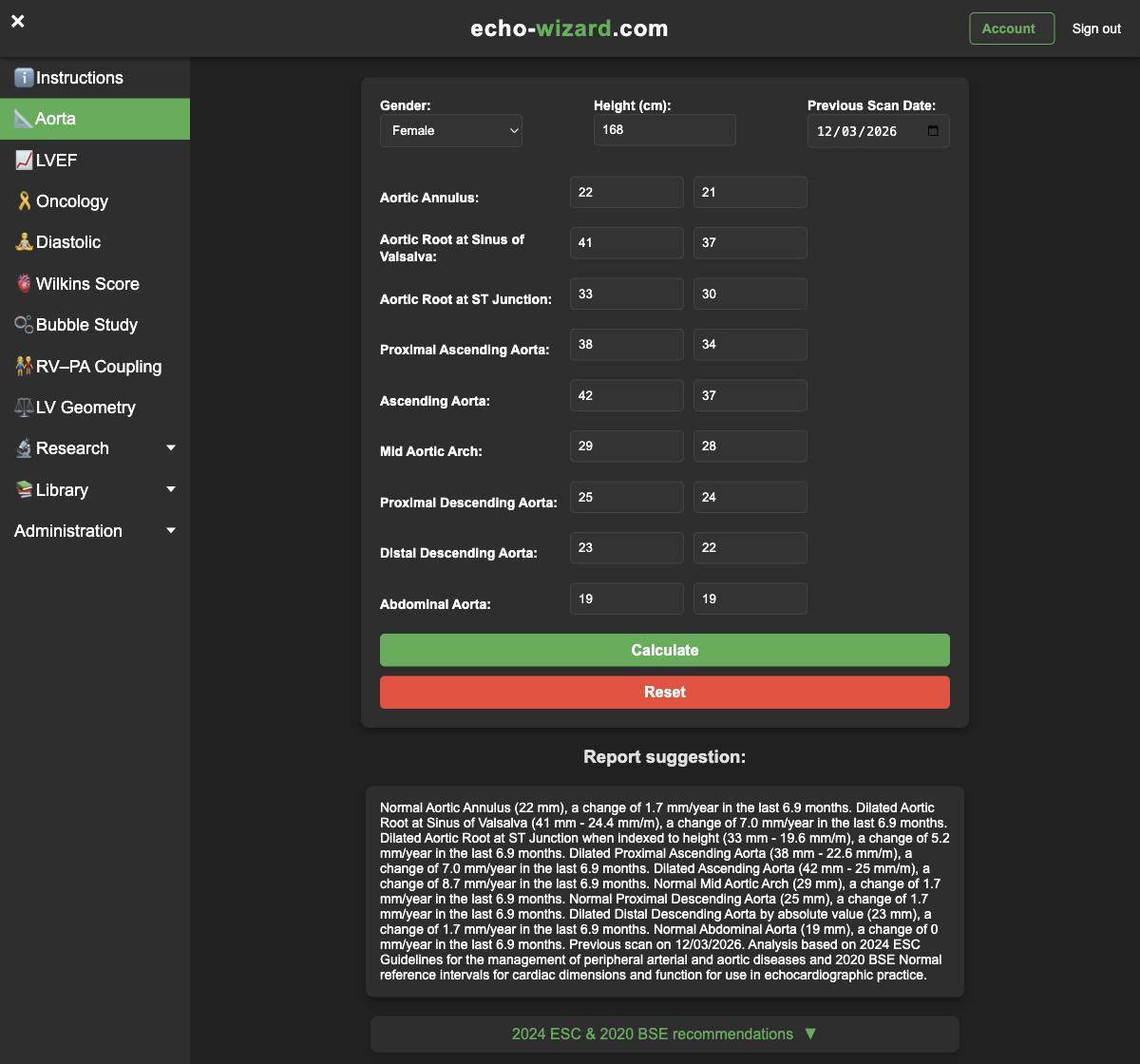
What you enter
- Sex and height in centimetres, used for the sex-specific cut-offs and the height index.
- The date of the previous scan, if you are comparing.
- Today's measurement and the previous one for any of nine segments: annulus, sinus of Valsalva, sinotubular junction, proximal ascending aorta, ascending aorta, mid arch, proximal descending, distal descending and abdominal aorta.
Leave a segment empty if you did not measure it. The report covers only what was entered.
What comes back
Each segment gets its own line. Where a height-indexed range exists, the line gives both values, for example “Dilated Aortic Root at Sinus of Valsalva (41 mm - 24.4 mm/m), a change of 7.0 mm/year in the last 6.9 months.” It says whether a segment is dilated by absolute size, when indexed to height, or both, and flags a segment that is small for height. When a previous study is entered, the yearly rate is worked out from the scan dates, in months for intervals under a year and in years after that. The paragraph ends with the previous scan date and the guidelines used.
Which cut-offs it uses
The wording draws on the 2024 ESC Guidelines for the management of peripheral arterial and aortic diseases and the 2020 BSE normal reference intervals for cardiac dimensions. Male and female thresholds are applied separately. The guideline is named on the tool, so a reader of the report can see where the cut-off came from.
Questions about the aorta tool
Why index the aorta to height rather than body surface area?
Height indexing avoids the aorta looking smaller after weight gain or larger after weight loss. The tool reports the absolute value and the height-indexed value together, so you can see both.
Do I have to fill in every segment?
No. Enter what you measured. Segments left empty are left out of the paragraph.
How is the growth rate worked out?
From the difference between today's and the previous measurement, divided by the time between the scan date you enter and today, expressed in millimetres per year.
See also the cardio-oncology tool, the bubble study tool, and all three examples entered in full.
For informative use only. Echo Wizard is for fully trained echocardiographers. It drafts wording from the numbers you enter. You remain responsible for every number and every line in the report.